
Table of Contents
Moovyoo Lynx Konect 2.0 and QZ: Connected Treadmill Training with Automatic Incline
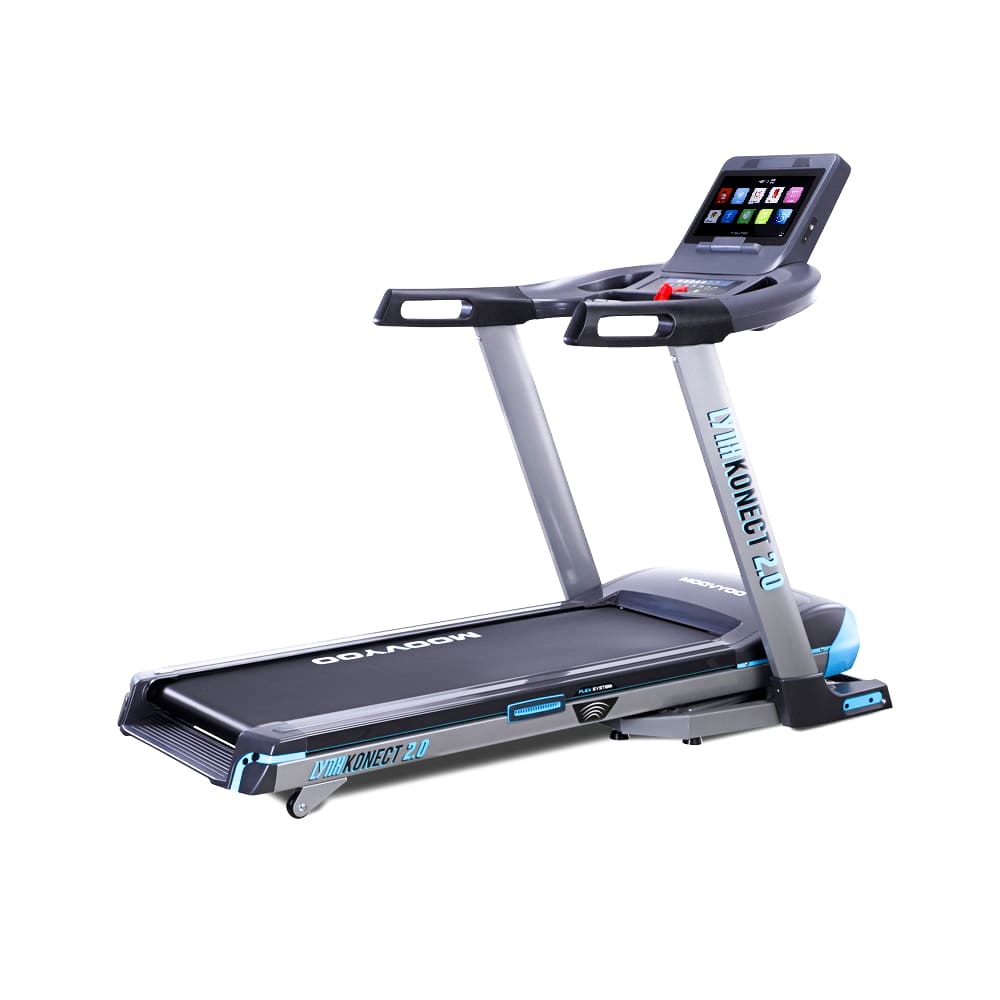
The Moovyoo Lynx Konect 2.0 is a powerful connected treadmill designed for demanding home workouts. With a 3.5 HP continuous motor, speeds up to 22 km/h, motorised incline up to 15%, a 51 × 152 cm running surface and a large interactive touchscreen, it is ready for everything from steady endurance sessions to intense intervals.[1]
With QZ, the Lynx Konect 2.0 can become part of a much more flexible connected-training setup. QZ bridges the treadmill with modern training applications, structured workouts and virtual routes, while allowing you to keep the treadmill’s speed and incline controls at the centre of the session.
Enable the Lynx Konect 2.0 profile in QZ
The treadmill profile is disabled by default. To activate it:
- Open QZ.
- Go to Settings → Treadmill Options.
- Enable Moovio Lynx Konect 2.0.
- Restart QZ.
- Turn on the treadmill and let QZ connect to it.
Use the exact Moovio Lynx Konect 2.0 option shown in QZ. After the restart, check that the treadmill is connected and that live speed and incline values are updating before beginning a demanding workout.
What QZ adds to the Lynx Konect 2.0
The Lynx Konect 2.0 already has the hardware needed for serious training: a high-speed motor, a wide running deck, motorised incline and quick-access console controls. QZ adds the connection layer that lets you use those capabilities across a wider training ecosystem.
Depending on the application and setup, QZ can provide:
- live treadmill speed and incline data;
- automatic speed changes during structured workouts;
- automatic incline changes for hills, routes and interval blocks;
- start, pause and stop commands through the supported treadmill profile;
- virtual treadmill output for compatible training applications;
- workout duration, distance and other treadmill metrics;
- heart-rate workflows when a compatible sensor is available;
- a unified way to combine the treadmill with virtual routes and training plans.
This makes the Lynx Konect 2.0 useful for more than the workouts built into its console. You can choose the screen, app and workout format that best matches the way you train.
Zwift, MyWhoosh, Kinomap, Rouvy and more
QZ can act as a bridge between the Lynx Konect 2.0 and compatible applications such as Zwift, MyWhoosh, Kinomap and Rouvy. The application provides the route, workout or virtual environment, while QZ handles the treadmill connection and exposes the relevant data and controls.
With the right configuration, a virtual route can use the treadmill’s incline to reproduce changing terrain. A structured workout can request different speed and incline targets as the session moves from warm-up to intervals, recovery and cooldown.
You can keep the treadmill in front of you while using a phone, tablet, computer or television for the training experience. QZ provides the bridge, so the Lynx Konect 2.0 can fit into a broader setup instead of being tied to one console workflow.
Availability of individual functions depends on the selected application and its own support for virtual treadmills. QZ gives you the connection options; you remain free to choose the training platform that suits you.
Automatic speed and incline for structured sessions
A 22 km/h maximum speed and 15% motorised incline give the Lynx Konect 2.0 a wide range for progressive training.[1] QZ makes that range easier to use in repeatable workouts by applying the planned changes as the session progresses.
You can use the setup for:
- warm-up and recovery blocks;
- hill repeats and climbing workouts;
- progressive tempo sessions;
- speed intervals;
- virtual routes with changing terrain;
- repeatable training plans;
- heart-rate-guided sessions.
Instead of reaching for the console at every transition, you can follow the workout while QZ manages the requested speed and incline changes. The treadmill’s own safety features and physical limits remain in control, while QZ makes the training flow more convenient and consistent.
A premium treadmill for home training
The Lynx Konect 2.0 combines a substantial running surface with a folding design and hydraulic folding assistance. Its Flex System uses six shock absorbers, while the console provides a large touchscreen, quick-access buttons and built-in workout programs.[1]
The console records speed, incline, time, distance, calories and pulse. The treadmill also includes hand-grip heart-rate sensors and a Polar chest strap, Wi-Fi connectivity, Bluetooth audio support, transport wheels and a safety key.
Its 32 preset programs, fitness program, five user programs and three HRC programs give you plenty of options before adding QZ. With QZ, those capabilities can become part of a wider workflow that includes external apps, custom workouts and connected data exports.
The wider QZ feature set
The Lynx Konect 2.0 profile is part of the broader QZ ecosystem. Depending on the device, application and configuration, QZ also provides:
- customised device profiles and training screens;
- Peloton-specific workflows;
- heart-rate zones, Bluetooth heart-rate sensors, ANT+ and Apple Watch workflows;
- a compatible-app bridge for bikes, treadmills, ellipticals and rowers;
- metrics, controls and ERG workflows where supported;
- standalone QZ workouts;
- video, GPX, ZWO, XML, random and heart-rate-following workouts;
- Strava, Apple Health, HealthKit, Google Health Connect and Garmin FIT exports;
- MQTT and OSC integrations for advanced setups;
- text-to-speech and email workout reports;
- ANT+ retransmission and Bluetooth remote tools;
- Zwift Play and Zwift Click workflows;
- Wahoo DirCon and other supported fitness-device integrations.
These are QZ bridge features, and their exact availability depends on the connected equipment and the selected app. The benefit is that one flexible layer can sit between your equipment and the training tools you want to use.
How to get started
- Install a QZ build that includes the Moovio Lynx Konect 2.0 treadmill profile.
- Turn on the treadmill and open QZ.
- Go to Settings → Treadmill Options.
- Enable Moovio Lynx Konect 2.0.
- Restart QZ.
- Confirm that live speed and incline data are visible.
- Enable the virtual treadmill output required by your chosen app.
- Connect Zwift, MyWhoosh, Kinomap, Rouvy or another compatible application.
- Start with a short workout and test the requested speed and incline changes before a long interval session.
The exact profile name matters. Do not select a different Lynx, Moovyoo or generic treadmill profile when the dedicated option is available.
A more flexible Lynx Konect 2.0
The Moovyoo Lynx Konect 2.0 already offers the speed, incline range, running comfort and connected touchscreen needed for serious home training. QZ adds the freedom to use that equipment with modern virtual routes, structured workouts and a wider range of training applications.
Enable Moovio Lynx Konect 2.0 in Settings → Treadmill Options, restart QZ and connect the app you want to use. The result is a more flexible treadmill setup that can grow with your training goals instead of locking you into a single workout experience.
If something does not work as expected, send an email to Roberto.viola83@gmail.com and Roberto will help you check the setup.
Learn more about QZ at qzfitness.com.
The Wider QZ Ecosystem
Beyond this device-specific connection, QZ can act as a flexible training and data bridge across a much wider fitness ecosystem. The exact options depend on the selected profile, platform and hardware, but the broader QZ toolkit includes:
- Customizable training interface: tile order and visibility, multiple user or fitness-device profiles, and UI zoom controls.
- Peloton workflows: bike metrics, power zones, resistance conversion and supported auto-resistance workflows, plus device-dependent auto-speed and auto-incline workflows for treadmills and ellipticals.
- Heart-rate and sensor tools: Apple Watch, ANT+ and Bluetooth heart-rate support, custom heart-rate zones, and wattage estimation from heart rate and cadence for bikes without a power sensor.
- Training apps and bridges: Zwift, Wahoo RGT, VzFit, Rouvy, iFIT, Echelon, BitGym and Wahoo DirCon, with Kinomap and MyWhoosh available where the selected device and workflow support them.
- Workout programs: built-in or local/cloud video workflows, GPX route following, 2D/3D maps, ZWO and XML workouts, heart-rate-following workouts, random workouts, standalone QZ workouts and structured/ERG sessions.
- Health, statistics and exports: end-of-workout email reports, Strava uploads, Garmin FIT and Garmin Connect workflows, Apple Health/HealthKit integration, and Google Health/Google Health Connect workflows where supported by the platform.
- Automation and integrations: MQTT, OpenSoundControl/OSC, text-to-speech/TTS, Bluetooth remote resistance shifting, Zwift Play & Click, ANT+ retransmission and other supported sensor bridges.
These are QZ ecosystem capabilities rather than a promise that every function is native to this particular machine. The device-specific setup and controls described above remain the authoritative part for this model; third-party apps may also have their own account, subscription and content requirements.